# Inspeckage Tutorial
🎙️ HackTricks LIVE Twitch Wednesdays 5.30pm (UTC) 🎙️ - 🎥 Youtube 🎥
* Do you work in a **cybersecurity company**? Do you want to see your **company advertised in HackTricks**? or do you want to have access to the **latest version of the PEASS or download HackTricks in PDF**? Check the [**SUBSCRIPTION PLANS**](https://github.com/sponsors/carlospolop)!
* Discover [**The PEASS Family**](https://opensea.io/collection/the-peass-family), our collection of exclusive [**NFTs**](https://opensea.io/collection/the-peass-family)
* Get the [**official PEASS & HackTricks swag**](https://peass.creator-spring.com)
* **Join the** [**💬**](https://emojipedia.org/speech-balloon/) [**Discord group**](https://discord.gg/hRep4RUj7f) or the [**telegram group**](https://t.me/peass) or **follow** me on **Twitter** [**🐦**](https://github.com/carlospolop/hacktricks/tree/7af18b62b3bdc423e11444677a6a73d4043511e9/\[https:/emojipedia.org/bird/README.md)[**@carlospolopm**](https://twitter.com/carlospolopm)**.**
* **Share your hacking tricks by submitting PRs to the** [**hacktricks repo**](https://github.com/carlospolop/hacktricks) **and** [**hacktricks-cloud repo**](https://github.com/carlospolop/hacktricks-cloud).
**Tutorial copied from** [**https://infosecwriteups.com/genymotion-xposed-inspeckage-89f0c8decba7**](https://infosecwriteups.com/genymotion-xposed-inspeckage-89f0c8decba7)
### Install Xposed Framework
1. Download Xposed Installer APK from [here](https://forum.xda-developers.com/attachments/xposedinstaller_3-1-5-apk.4393082/)
2. Download Xposed Framework zip from [here](https://dl-xda.xposed.info/framework/sdk25/x86/xposed-v89-sdk25-x86.zip)
3. Download Inspeckage v2.4 APK from the github repo [here](https://github.com/ac-pm/Inspeckage/releases)
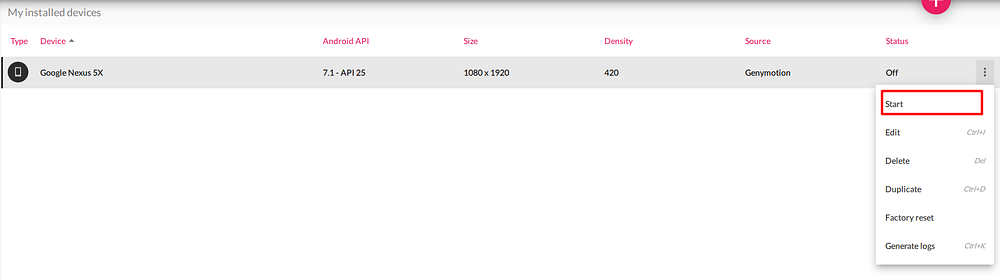
Start the Virtual Device from the menu
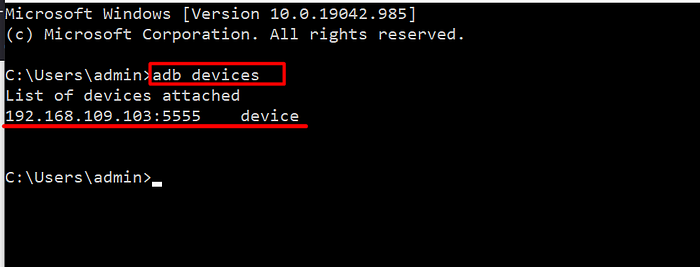
Make sure the device is online for adb
Drag and drop the Xposed framework zip file (`xposed-vXX-sdkXX-x86.zip`) to your virtual device display to flash the device.
Drag and drop Xposed Installer APK (`XposedInstaller_*.apk`). This should install and launch *Xposed Installer* application. At this stage, it will display that the Xposed framework is installed but disabled:

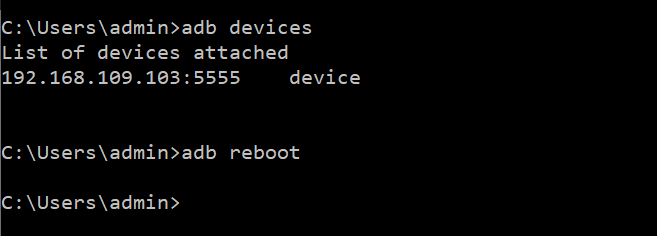
Reboot the device with `adb reboot` command. **Do not reboot from \_Xposed Installer**\_\*\* as this will freeze the device.\*\*
Launch *Xposed installer*. It should display “Xposed Framework version XX is active”

Drag and drop the Inspeackage APK (app-release.apk) to your virtual device display to install the app.
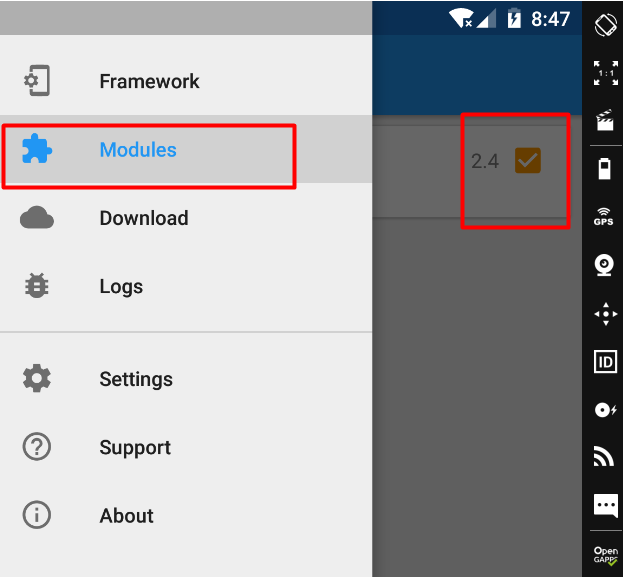
After installing, Go to Xposed Installer → Modules→ Activate the Module → reboot via adb
### Dynamic Analysis with Inspeckage
After, Successful installing of Inspeckage and Xposed Installer. Now we can hook any application with Inspeackage. To do this follow the below steps
1. Launch the Inspeckage Application from the application drawer
2. Click on the “Choose target” text and select the target application
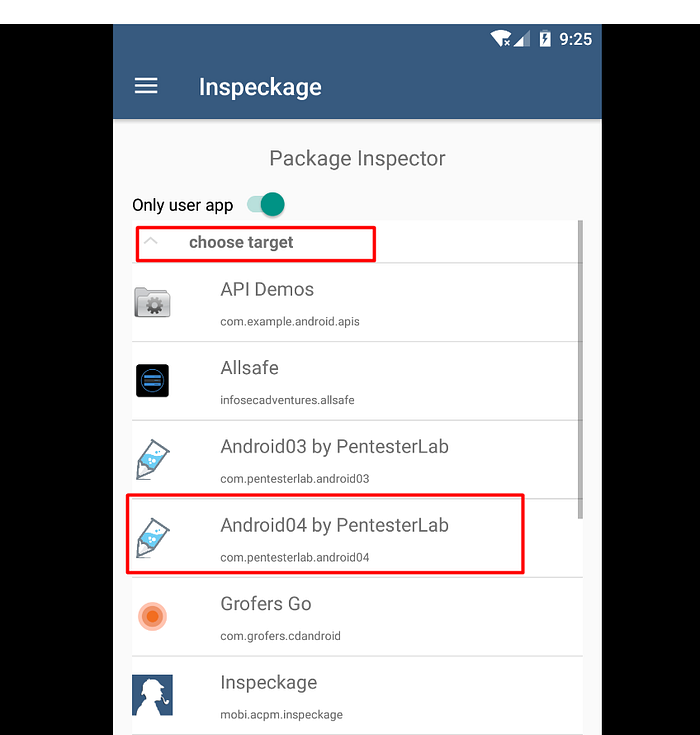
3\. Then forward VD local-host port to main machine using adb
```
adb forward tcp:8008 tcp:8008
```
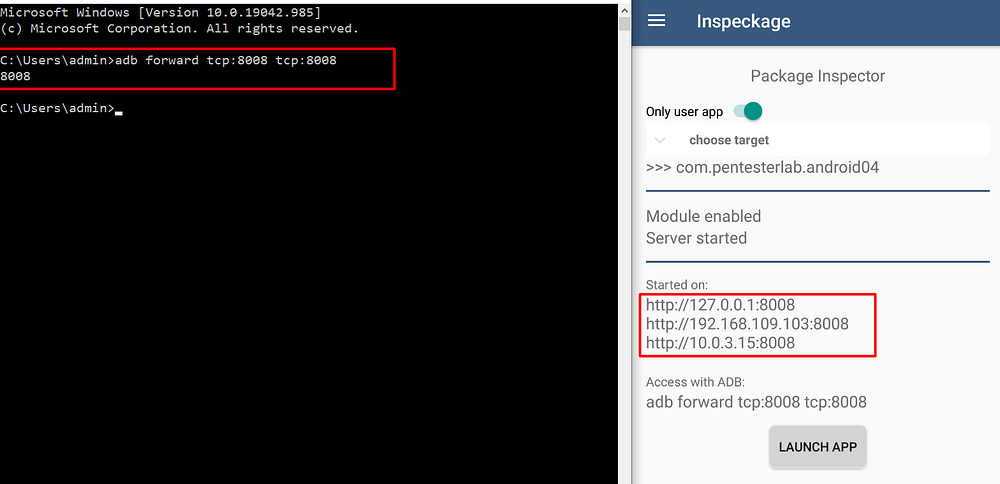
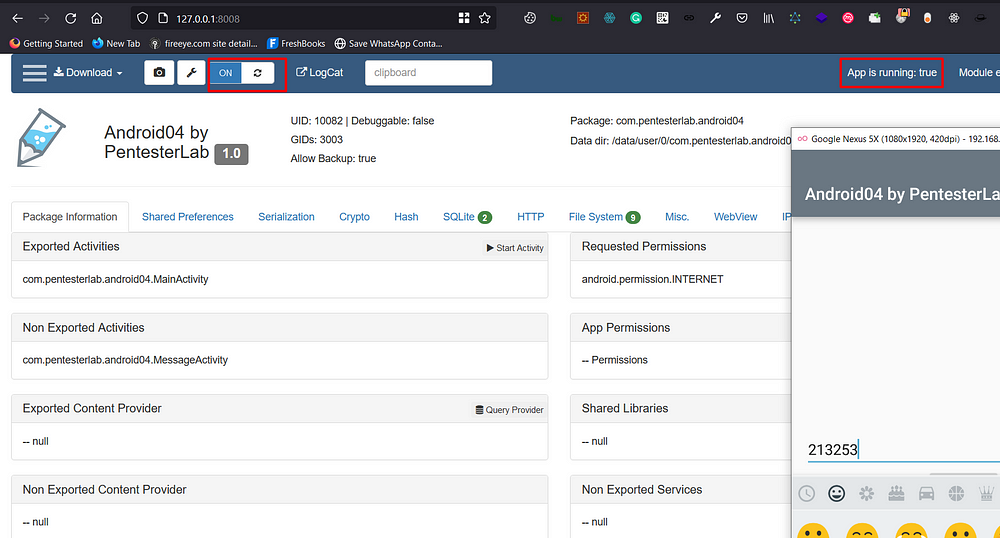
4\. Now click on the “**LAUNCH APP**” Button and then visit [`http://127.0.0.1:8008`](http://127.0.0.1:8008)
5\. Now click Turn On the button to Inspect the app. (make sure `App is running:` status should be **True** before you “Turn On”
🎙️ HackTricks LIVE Twitch Wednesdays 5.30pm (UTC) 🎙️ - 🎥 Youtube 🎥
* Do you work in a **cybersecurity company**? Do you want to see your **company advertised in HackTricks**? or do you want to have access to the **latest version of the PEASS or download HackTricks in PDF**? Check the [**SUBSCRIPTION PLANS**](https://github.com/sponsors/carlospolop)!
* Discover [**The PEASS Family**](https://opensea.io/collection/the-peass-family), our collection of exclusive [**NFTs**](https://opensea.io/collection/the-peass-family)
* Get the [**official PEASS & HackTricks swag**](https://peass.creator-spring.com)
* **Join the** [**💬**](https://emojipedia.org/speech-balloon/) [**Discord group**](https://discord.gg/hRep4RUj7f) or the [**telegram group**](https://t.me/peass) or **follow** me on **Twitter** [**🐦**](https://github.com/carlospolop/hacktricks/tree/7af18b62b3bdc423e11444677a6a73d4043511e9/\[https:/emojipedia.org/bird/README.md)[**@carlospolopm**](https://twitter.com/carlospolopm)**.**
* **Share your hacking tricks by submitting PRs to the** [**hacktricks repo**](https://github.com/carlospolop/hacktricks) **and** [**hacktricks-cloud repo**](https://github.com/carlospolop/hacktricks-cloud).
---
# Agent Instructions: Querying This Documentation
If you need additional information that is not directly available in this page, you can query the documentation dynamically by asking a question.
Perform an HTTP GET request on the current page URL with the `ask` query parameter:
```
GET https://breached.gitbook.io/dashboard/mobile-pentesting/android-app-pentesting/inspeckage-tutorial.md?ask=
```
The question should be specific, self-contained, and written in natural language.
The response will contain a direct answer to the question and relevant excerpts and sources from the documentation.
Use this mechanism when the answer is not explicitly present in the current page, you need clarification or additional context, or you want to retrieve related documentation sections.